FUZEOBS PROJECT
From hardware detection to AI assistance, FuzeOBS covers every aspect of your streaming setup.
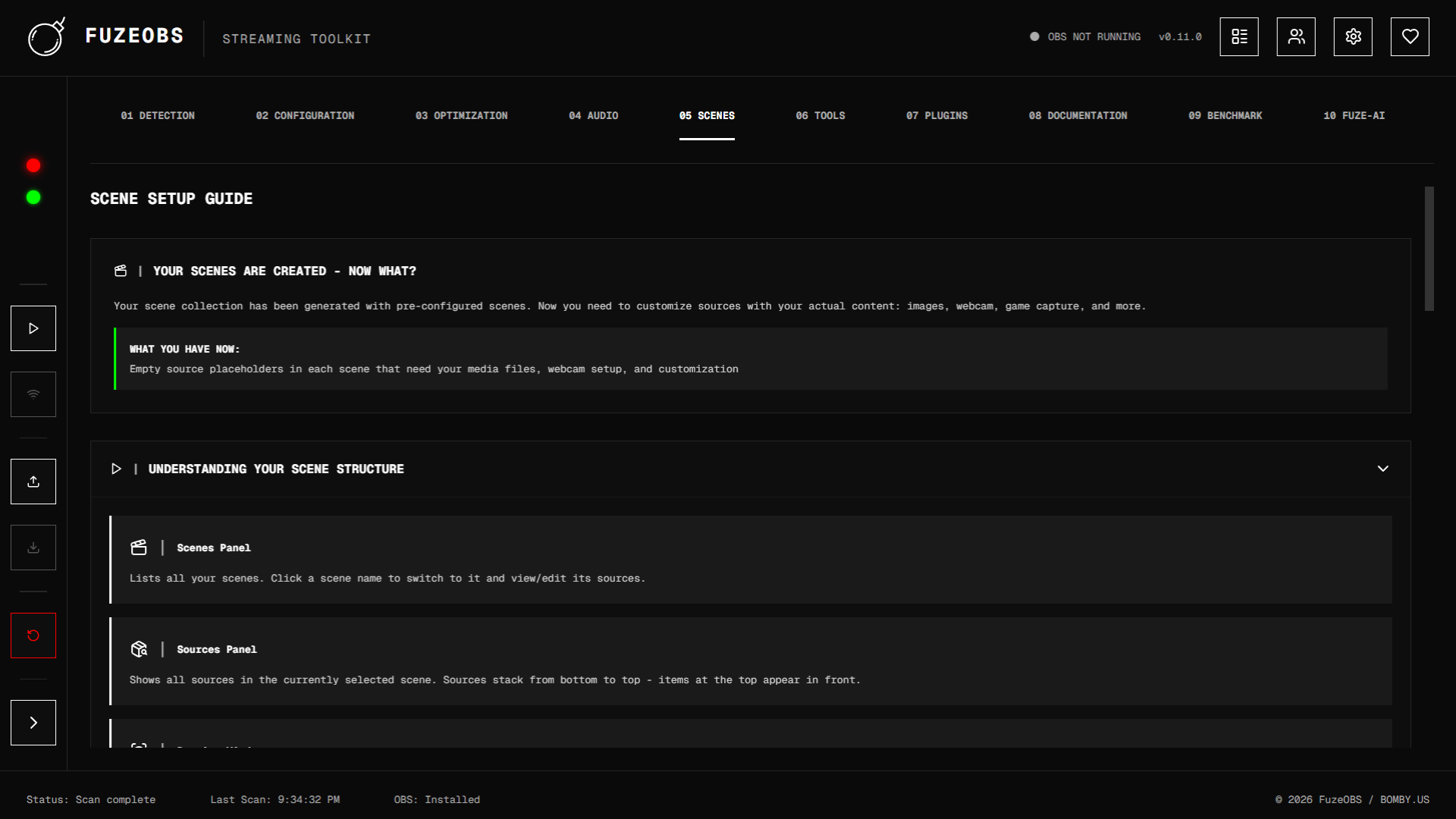
Project Overview
A detailed look at the purpose and approach of this project
The Project
I created FuzeOBS out of frustration with how difficult it is for new streamers to get OBS configured properly.
There are countless tutorials and guides online, but none of them account for the fact that everyone's hardware is different.
What works for someone with an RTX 4090 isn't going to work for someone on integrated graphics. I wanted to build a tool
that could detect your system, understand your hardware limitations, and generate the perfect OBS configuration for you automatically.
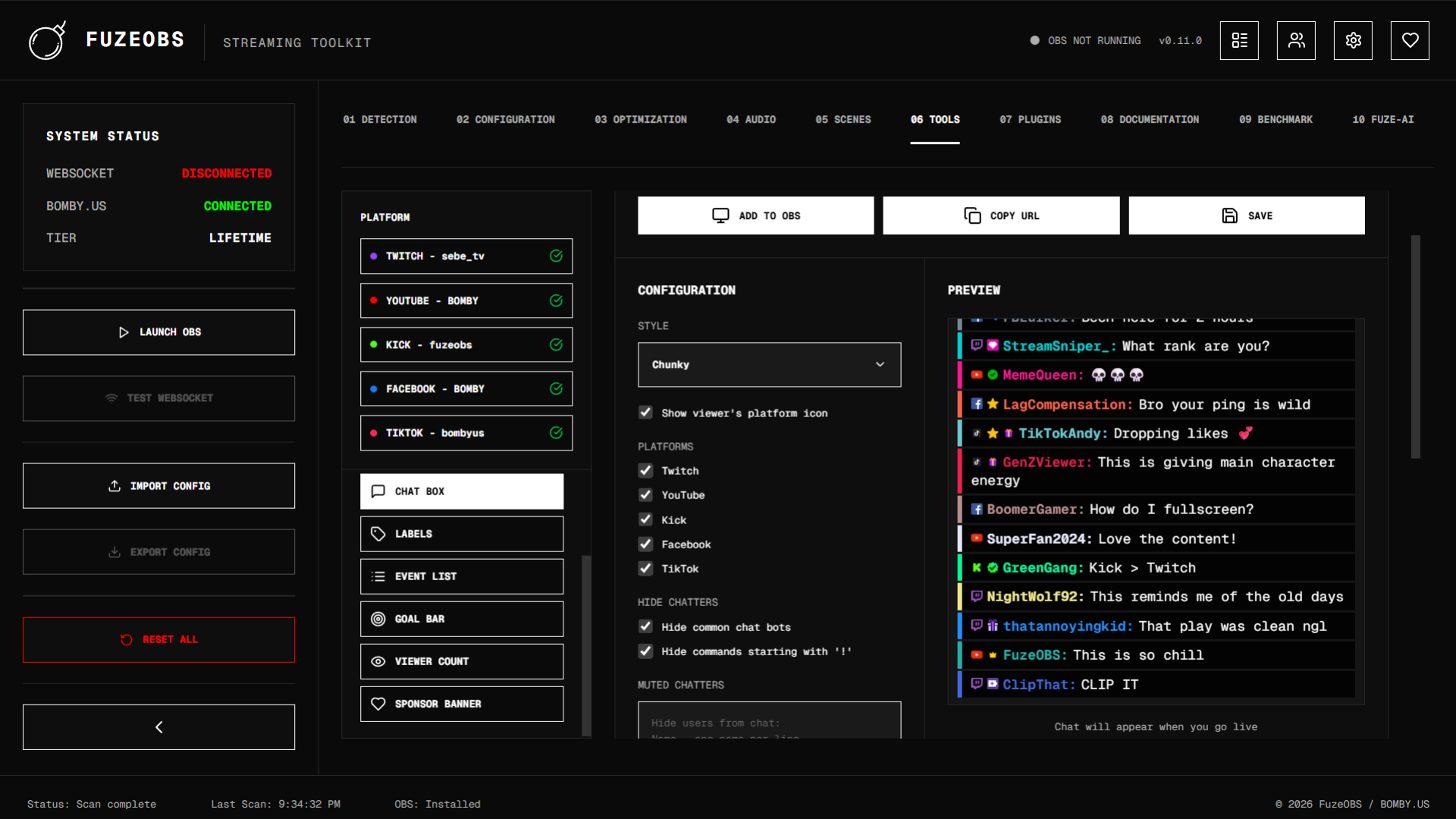
Beyond just settings, I wanted FuzeOBS to be an all-in-one streaming toolkit. From scene templates, integrated widget configuration, performance benchmarking,
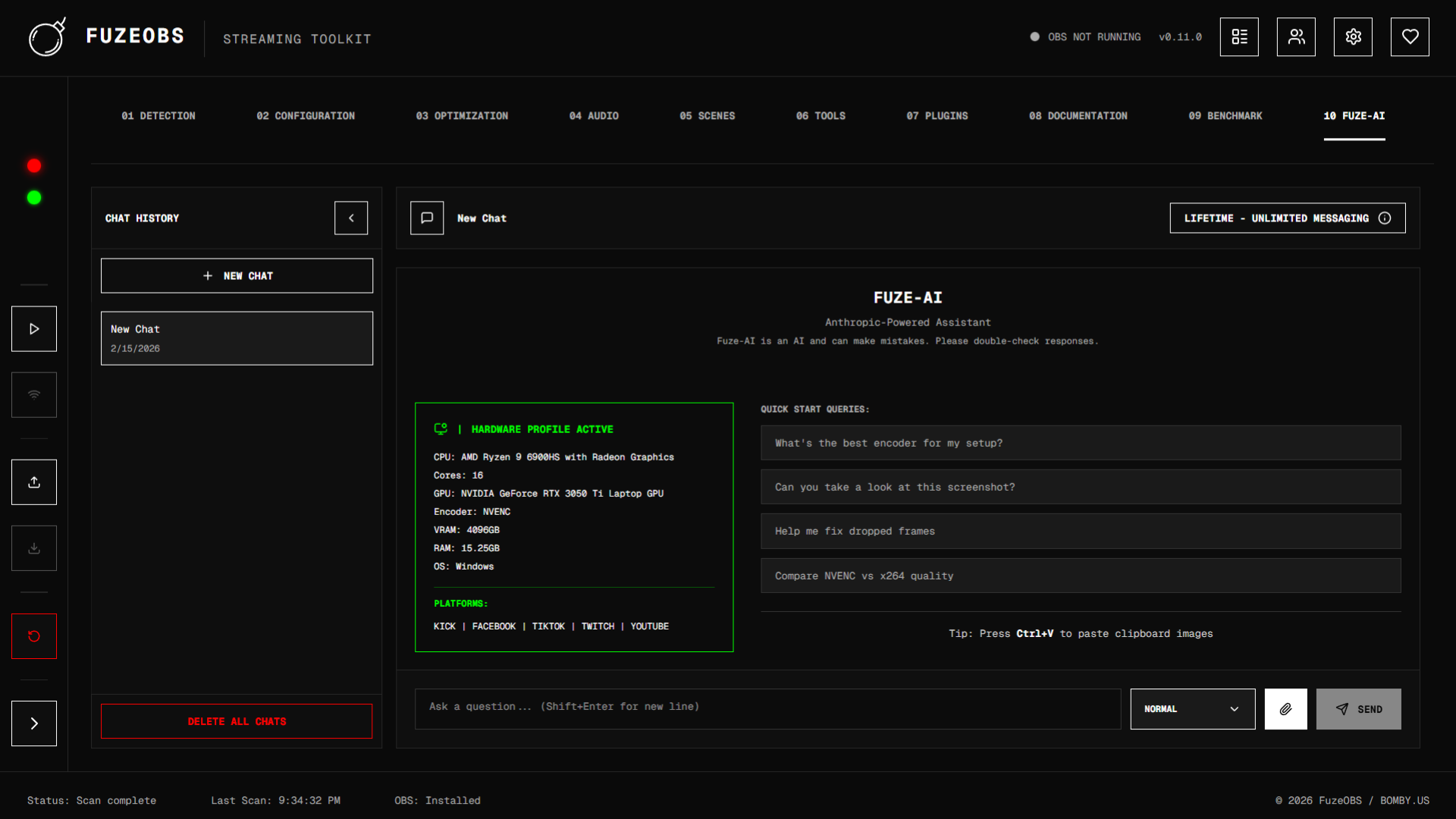
and an AI assistant that can answer any streaming question, I wanted creators to have everything they need in one place
so they could focus on what matters which is actually creating content.
My Approach
I started by breaking down exactly what a new streamer needs to go through to get up and running. The answer was a lot.
Hardware detection, encoder selection, bitrate calculations, scene setup, audio routing, etc. It's overwhelming for someone
who just wants to hit "Go Live". So I mapped out every step and figured out how to automate each one.
I built the backend in Python with Flask handling the API layer and PyWebView wrapping it into a native desktop app.
The frontend is a full Next.js React application that communicates with the backend for everything from system detection
to OBS WebSocket control. My focus was making it feel like a real desktop application while keeping the development
workflow modern and maintainable.
Technical Details
A deeper look at the development process and implementation
Development Process
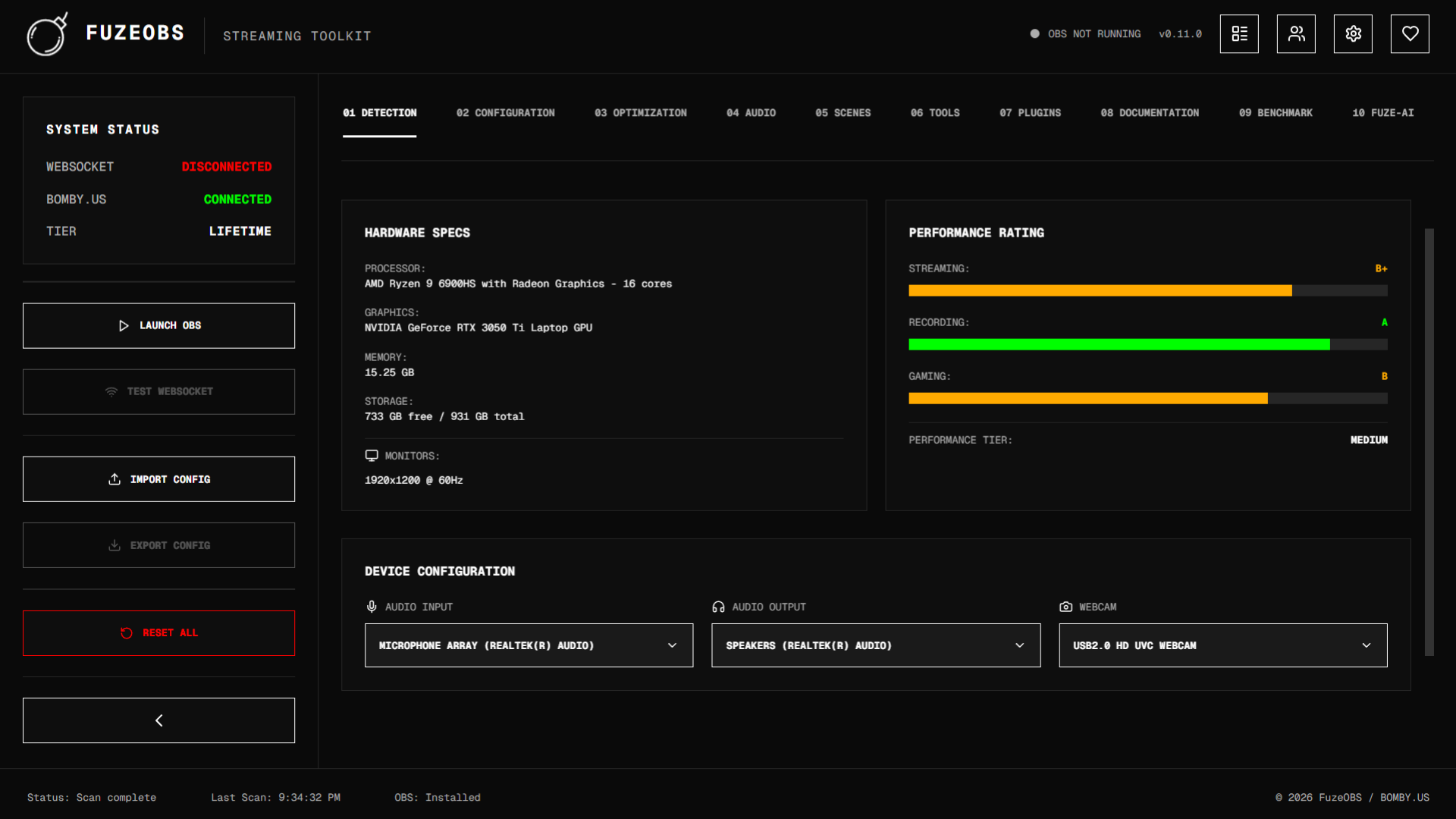
I began by building the system detection engine. This was the foundation of the entire app. if I couldn't accurately
identify a user's CPU, GPU, RAM, and peripherals, nothing else would work. I put together platform-specific detection for
Windows, macOS, and Linux covering everything from NVIDIA GPU generations to Intel QSV capabilities to Apple Silicon chips.
The detector even identifies webcam resolutions by querying DirectShow, AVFoundation, or v4l2 depending on the platform.
From there I built the settings generator. Based on your detected hardware, it selects
the optimal encoder (NVENC, AMD AMF, QSV, or x264), calculates the right bitrate for your chosen platform, and picks
encoder presets that match your quality preference. I created five quality tiers from "Max Performance" to "Max Quality"
with specific encoder configurations for each one. The system even knows when to fall back to x264, like when you have
an older GPU but a beefy CPU.
Next came the OBS integration. FuzeOBS generates complete OBS profile files and scene collections, then connects via
WebSocket to apply them live. I built a scene template system that pulls templates from my Django backend on bomby.us
and injects the user's actual devices. Things like their specific webcam, microphone, and audio output are put directly into the scenes.
I also built a full performance monitoring system that connects to OBS via WebSocket and collects real-time stats on
CPU usage, GPU load, FPS stability, dropped frames, encoding lag, and network congestion. It grades your stream
performance from A to F across every metric and identifies exactly what's causing issues. On top of all that,
I integrated an AI chat assistant, a user account system with Google OAuth, TikTok OAuth, an auto-updater that handles
Windows .exe, macOS .dmg, and Linux .deb installs, and profile management so users can save and swap configurations.
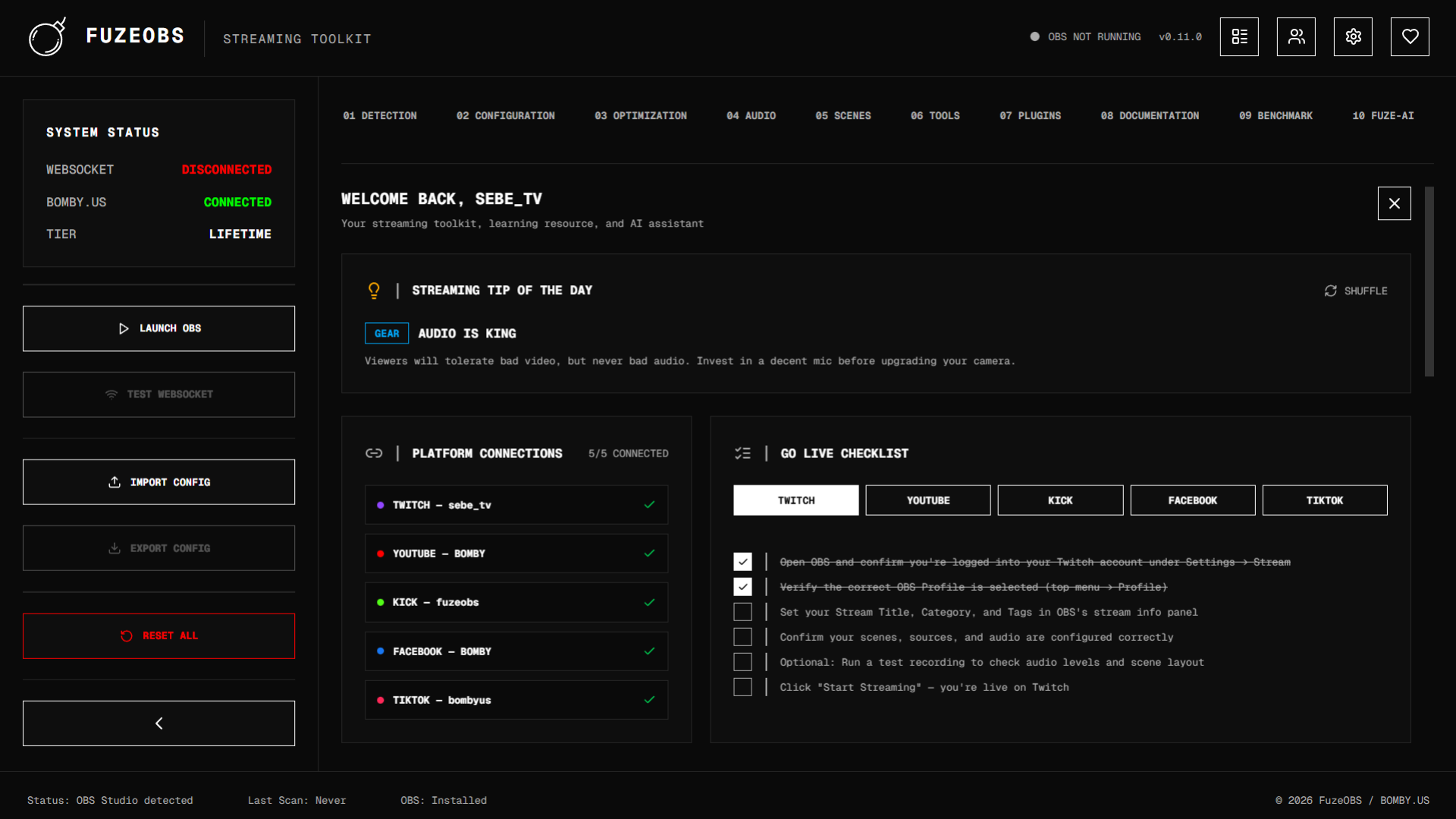
The app also features 10 distinct tabs covering deployment, setup, extras, and AI enhancements with built-in stream
widgets like alerts, chat boxes, viewer counts, goal bars, and donation overlays that users can inject directly into their scenes.
All together, FuzeOBS takes what used to be hours of research and configuration and turns it into a few clicks.
Technical Challenges
The biggest challenge was making this app truly cross-platform. PyWebView behaves differently on every OS. Windows
uses EdgeChromium, macOS uses WebKit, and Linux needs Qt WebEngine. On Linux specifically, I had to run Flask
in a separate thread and implement a health-check polling system because PyWebView can't serve Flask directly
like it does on Windows and macOS. Getting the startup sequence right so the window doesn't open before the
server is ready took a lot of trial and error.
Another major hurdle was webcam detection. Every platform uses a completely different API. DirectShow on Windows,
AVFoundation on macOS, and v4l2 on Linux. I had to write separate enumerators for each one that not only find
the devices but also query their actual supported resolutions so I can inject the correct settings into OBS scenes.
On Windows alone I have three fallback methods (pygrabber, FFmpeg, and WMI) because no single approach works reliably
on every machine.
The auto-updater was also a beast. On Windows I generate a batch script that kills the running app, installs silently,
and relaunches. On macOS I mount the DMG, copy the .app with ditto to preserve code signatures, re-sign it ad-hoc,
remove quarantine flags, and then launch. All from a detached bash script that survives the parent process dying.
Each platform had its own set of edge cases that took real persistence to iron out.
// Encoder Selection Logic
def _select_encoder(self, quality_preference: str) -> str:
    gpu_encoder = self.specs['gpu']['encoder_available']
    if not gpu_encoder:
        return 'x264'

    gpu_gen = self.specs['gpu'].get('generation', {})
    cpu_cores = self.specs['cpu']['logical_cores']

    if gpu_encoder == 'nvenc':
        nvenc_gen = gpu_gen.get('nvenc_gen', 3)
        return self._apply_encoder_rule(
            NVENC_RULES.get(nvenc_gen),
            cpu_cores, quality_preference, 'nvenc_h264'
        )
    return 'x264'
Key Features
- Automatic Hardware Detection and Intelligent Encoder Selection
- One-Click OBS Configuration with Platform-Specific Optimization
- Customizable Widgets for all Supported Platforms
- Real-Time Performance Monitoring with A-F Grading System
- AI-Powered Streaming Assistant with Benchmarking Analysis
Lessons Learned
FuzeOBS taught me more than any other project I've worked on. Building a cross-platform desktop application
forced me to understand how each operating system handles things differently. From process management to
file paths to hardware APIs. I gained a deep understanding of video encoding, OBS internals, and how
streaming actually works under the hood.
More than anything, this project taught me the importance of building with the user in mind. Every feature
I added was driven by the question "what would a new streamer struggle with?" and that mindset kept the
project focused and purposeful. I'm proud of what FuzeOBS has become and I'm excited to keep building on it.
INTERESTED IN MY WORK?
I'm available for consulting projects and would love to discuss how I can help bring your ideas to life.
GET IN TOUCH